









Skip to content

Feature · CRM

Manage your participants with the flexibility of a spreadsheet and the power of a CRM.

Say goodbye to paginated lists and endless clicks. View, filter, and edit thousands of attendees in a single, seamless, collaborative interface.

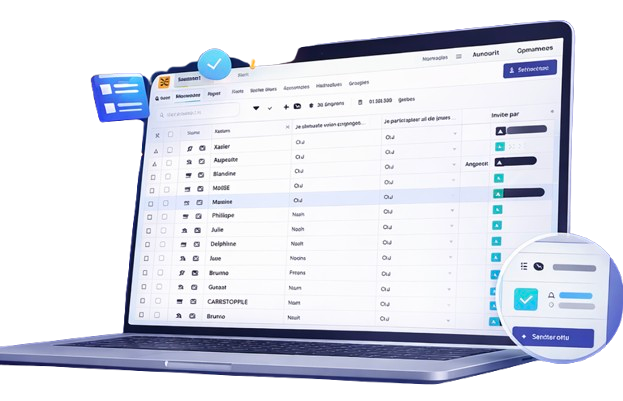
AppCraft participant management table with data tracking, statuses, and event information

The "Spreadsheet" Interface (Inline Editing): Direct Editing & Zero Pagination

Forget pagination: manage 10 or 10,000 subscribers at a glance.

Take back control of your database. Our CRM delivers a "Smart Spreadsheet" view that lets you edit information on the fly, automatically detect duplicates, and segment your audience with surgical precision. Export, import, and share filtered views with your service providers with complete security, and never lose track of updates thanks to a comprehensive change history.

Most platforms slow you down with lists split into 50-row pages. AppCraft offers a smooth, spreadsheet-like interface: scroll through your entire list, sort columns in a single click, and edit information (name, email, workshop choice) directly in the cell—without having to open the attendee profile. It’s a massive time-saver for cleaning up your lists.

Save time managing your attendees

Smart Views & Secure Sharing

Create customized lists for your service providers without sending Excel files.

The key argument: Logistical collaboration (data security). Stop sending outdated and unsecured Excel files by email. Create dynamic "Views" (e.g., Name + Hotel + Diet columns) and share a secure access link with your caterer or driver. They will have access to a list that is always up to date in real time. You control who sees what, with no risk of version errors.

Request a demo of the management table

Anomaly Detection & Flexible Imports

Automatically clean up your database and manage bulk updates.

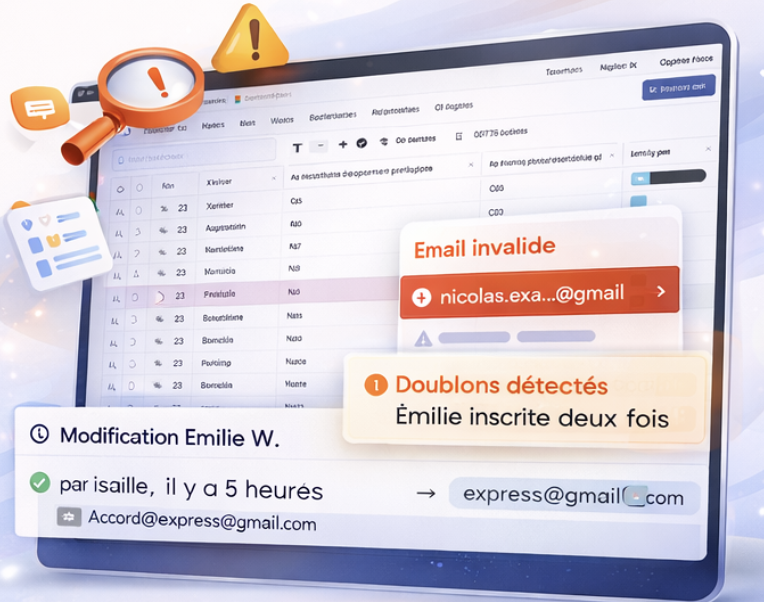
A typo or a duplicate can be costly on the day. Our algorithm scans your list to automatically flag anomalies (malformed emails, attendees registered twice). On top of that, the change history keeps a trace of every action: know exactly who (attendee or organizer) changed a piece of information and when, for complete traceability.

Import your guest list now
Error detection and attendee data checks in the AppCraft event platform before sharing

Change history

Keep track of every change for complete peace of mind.

"Who deleted Mr. Dupont's registration?" With AppCraft, you have the answer. Every change made to a participant's file is logged in a detailed history (Author, Date, Old value, New value). In the event of a handling error or dispute with a participant, you can go back and understand exactly what happened.

Discover the management tool pro organizers prefer
CRM interface illustrating collaborative data updates, with flows to ISO 27001 certification, attendee management and CSV export.

Document Management (Bulk Download)

Retrieve all participant files with a single click.

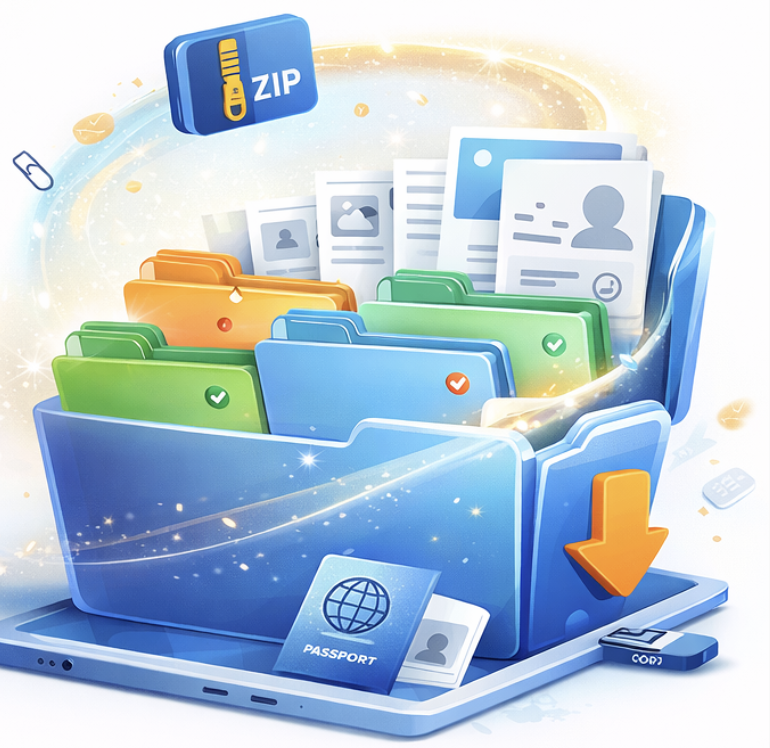
Did your participants upload passport scans, photos, or presentations when they registered? Don't waste hours downloading them one by one. AppCraft generates a single ZIP archive for you containing all the documents, neatly named and organized into folders. Ideal for quickly forwarding items to security services or travel agencies.

Centralize your attendee documents in one click
Event file management with AppCraft to centralize documents, media and resources accessible to attendees

Create automatic processes for your CRM data

… thanks to our automation engine

With the AppCraft automation engine, your CRM data works for you.

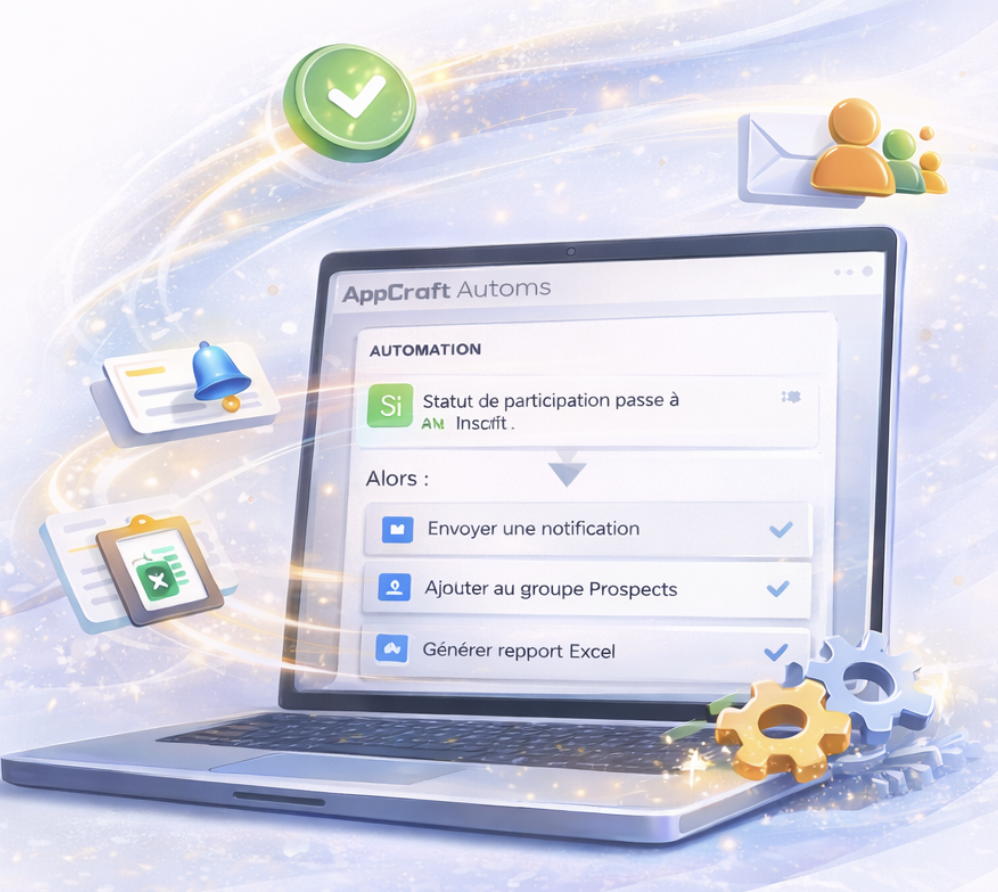
Automatically trigger actions from simple rules: assignment to a group, sending a notification, granting access, updating a status or generating a report.

Learn more

Every data change can become a reliable trigger, with no manual handling and no dependence on Excel exports.

The result: fewer errors, controlled processes and faster operational management, even on complex or high-volume events.

Teams save time, participants receive the right information at the right time, and everything remains traceable in an event-based CRM system.

Automate your attendee management
AppCraft event form setup interface with custom fields and attendee data validation

FAQ: How do you choose and use a CRM to manage event attendees?

How do you choose an event CRM to manage your attendees?

The choice of an event CRM depends on the number of participants, the complexity of the event, and the operations that need to be managed: registration, segmentation, communications, logistics, or access control.

For a small event, a spreadsheet may be sufficient. However, when a convention or conference brings together several hundred participants, a dedicated platform makes it easier to collaborate and keep information up to date.

AppCraft offers an event CRM that includes a spreadsheet-style interface, custom filters, duplicate detection, and a change history. The data can be used directly in the platform's other modules.

What is the difference between Excel and an event CRM like AppCraft?

Excel makes it easy to organize lists of participants, but the proliferation of files and exchanges among coworkers can make it difficult to track changes.

An event CRM centralizes information in a shared database that is linked to the various stages of the event.

With AppCraft, organizers have access to an Excel-inspired interface: they can filter participants, sort columns, and edit data directly in the cells without having to open each record individually.

Unlike an Excel file sent by email, the information is updated in a shared environment, with a history that allows you to track the changes that have been made.

How can you automatically segment attendees to personalize their event experience?

Segmentation involves grouping participants based on common criteria: profile, language, registration status, choice of activities, or information provided on the form.

In particular, it allows communications and access to be tailored to the needs of each category of guests.

AppCraft offers dynamic typologies and an automation engine. Depending on the configured rules, a change to a participant's data can trigger their assignment to a group, a notification, a status update, or the granting of access.

For example, a participant registered for a workshop can be automatically added to the corresponding group in order to receive information related to that session.

How can I share participant lists with service providers without creating multiple Excel files?

When working with hotels, caterers, or transportation providers, it is best to share only the information necessary for them to carry out their tasks.

AppCraft lets you create filtered views and share them via secure links. For example, a hotel manager can view a list containing the names of participants and their lodging details, while a caterer can access the information needed for catering.

The lists are kept up to date as information changes. This method facilitates coordination while limiting the circulation of files containing personal data.

How can you avoid duplicates and errors in an event participant database?

To ensure the reliability of a participant database, it is important to verify the data as soon as it is imported and to track any changes made during event preparation.

AppCraft offers automatic detection of duplicates and certain anomalies, such as incorrect email addresses. Its history feature also allows you to identify the author, date, and values associated with each change.

These features make it easier to correct errors and track changes. However, human verification is still necessary, particularly when two people have similar contact information or when data is incomplete.

Ready to save time on your next events?

Join the 1,500+ event planners already running their B2B events with AppCraft.

Free personalized demo · Reply within 24 hours