
Registrations Sheet 15 / 68
Registration forms for your events
Create customized registration forms, track registrations in real time, manage quotas, and export data for a smooth event.
Quote line: Registration form (FR/EN)
Demo video

Visual
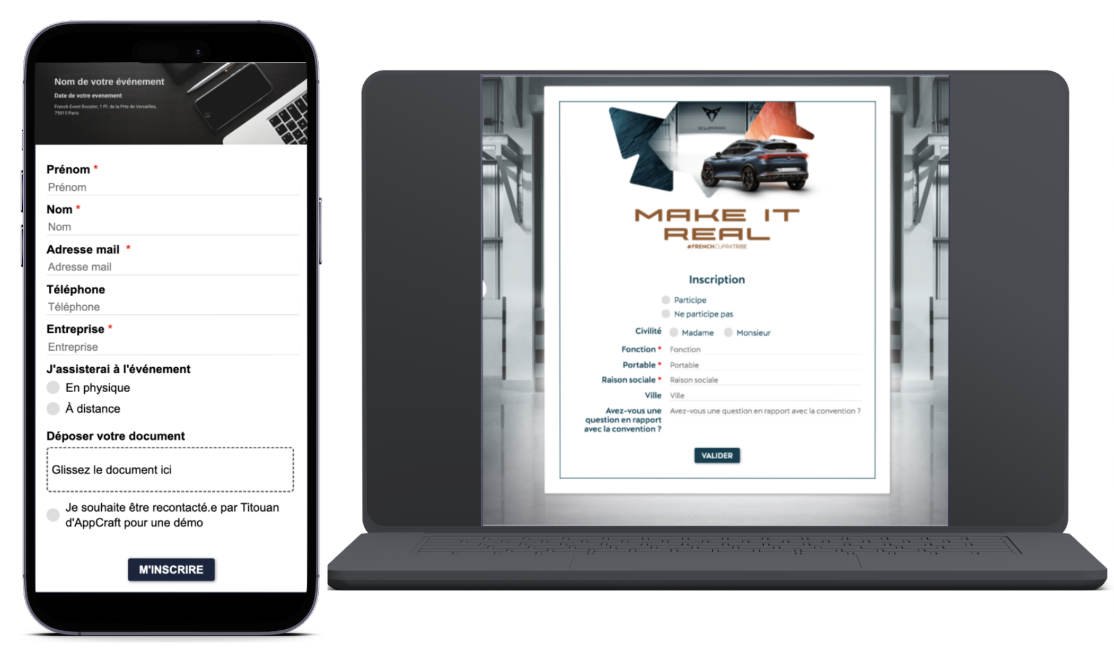
Visuals
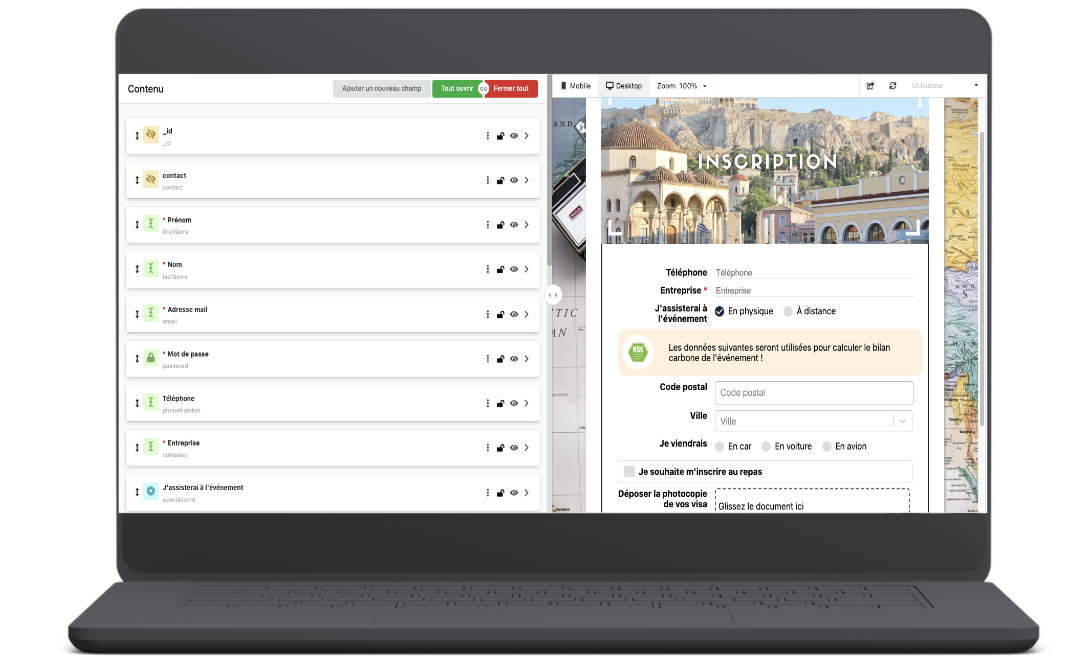
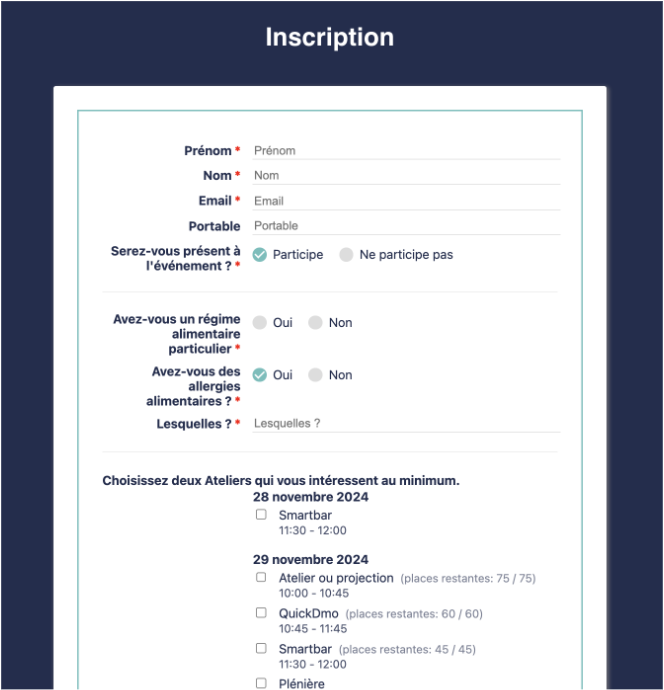
Complete description of the registration form
Access to the registration form editor.The form can be sent by email or embedded in a descriptive page, platform or mini-site, depending on the option you choose
Registration form editor Unlimited number of questions (multiple choice, checkboxes, text area, drop-down menu…)Conditional fields tailored to the attendee typePresentation by tab available (accommodation*, transportation, rooming*, allergies, flights*, catering…)Preview available in the back office by attendee type and by device (phone/computer)Quota management available
Real-time registration trackingReal-time registration tracking dashboardData export to Excel with various filters
> Form settings:Close the form on a specific date or manually Make it accessible to invited guests onlyOption to block duplicates by email addressEnable registration moderation
* Not included in the package
List of options that can be enabled on your registration form:
- Registration of companions by the main guest
- Integration of your brand guidelines (colors, fonts, banner, background…)
- Collection of flight information
- Roommate pairing (fixed dates for all attendees)
- Flexible date management across multiple hotels
- Paid registration (AppCraft Premium offer)
- Moderation (paid option)
The benefits of the registration form
Easily collect the data you need to organize your event.
- Create a unique form for each attendee thanks to conditional logic
- Efficient information management
- A smoother registration process
- Preview forms in the back office by attendee type and by device (phone/computer).
- Quota management during registration
- Real-time tracking and data export through the dashboard
The form can be embedded as an iframe in a third-party site. To test it, use the code below:
<iframe src= »https://api.appcraft.events/registrations/v1/qRrdQLRn3Gsdmv/web/form/qRrdQLRn3Gsdmv_formulaire-simple-by-titou » width= »100% » height= »400″ frameborder= »0″></iframe>
You can adjust the height to suit your needs.