
Basic Sheet 11 / 68
Platform and mobile app for your event
Discover a customized platform and mobile app for your events: unlimited content, secure access, participant management, and an immersive experience.
Quote line: Platform + PWA
Platform + PWA
Visual example

Platform + PWA
Visual examples
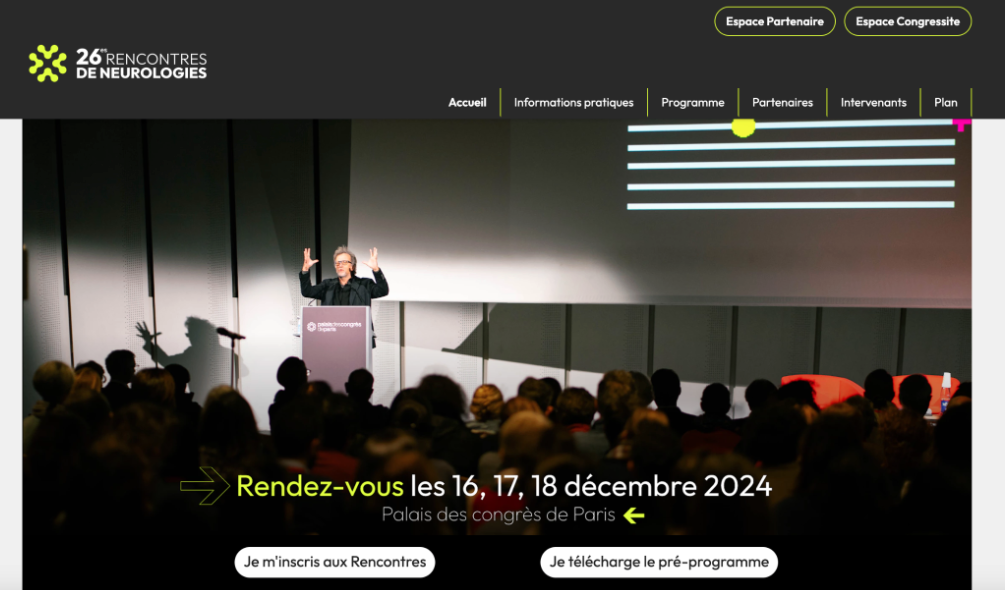

Visual

Visual
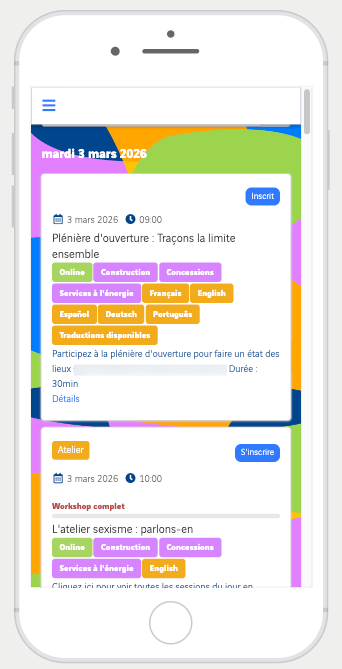
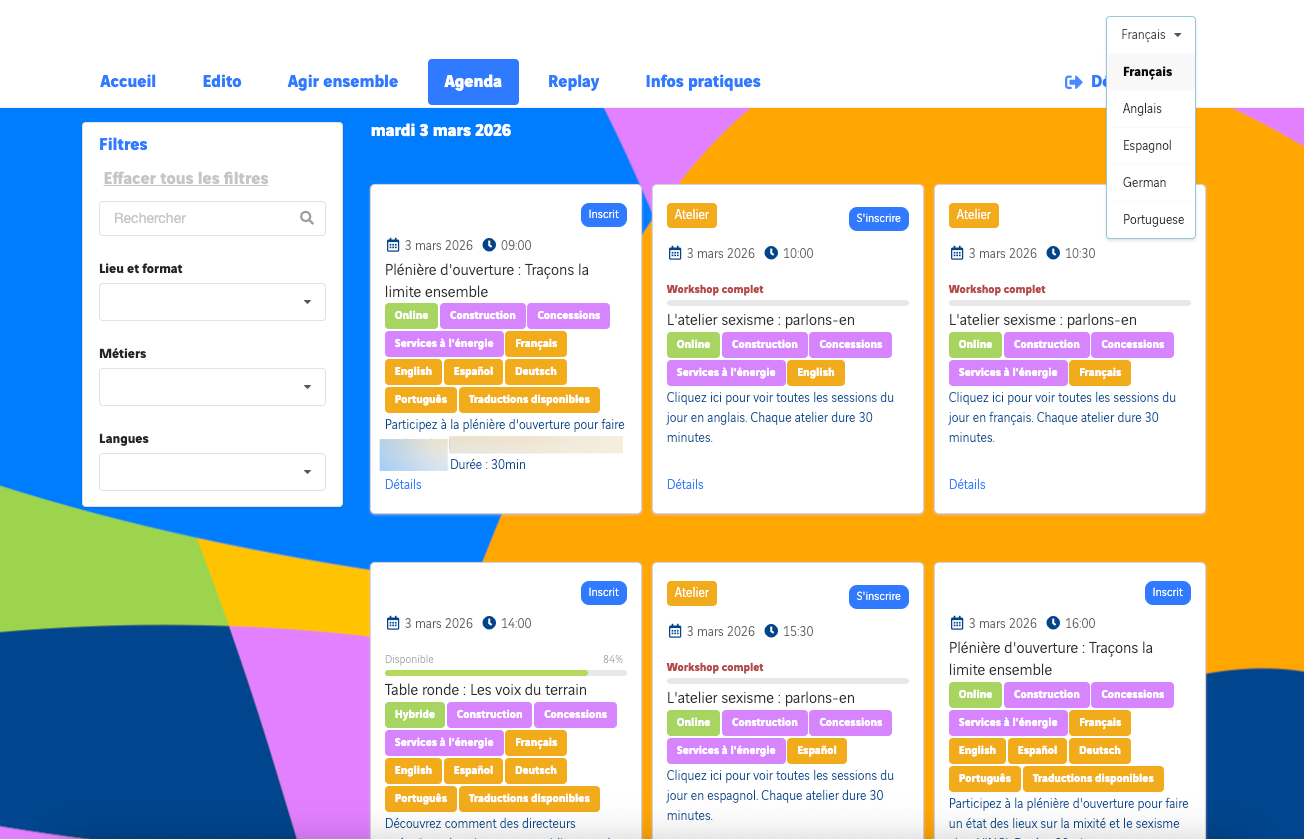
Visual
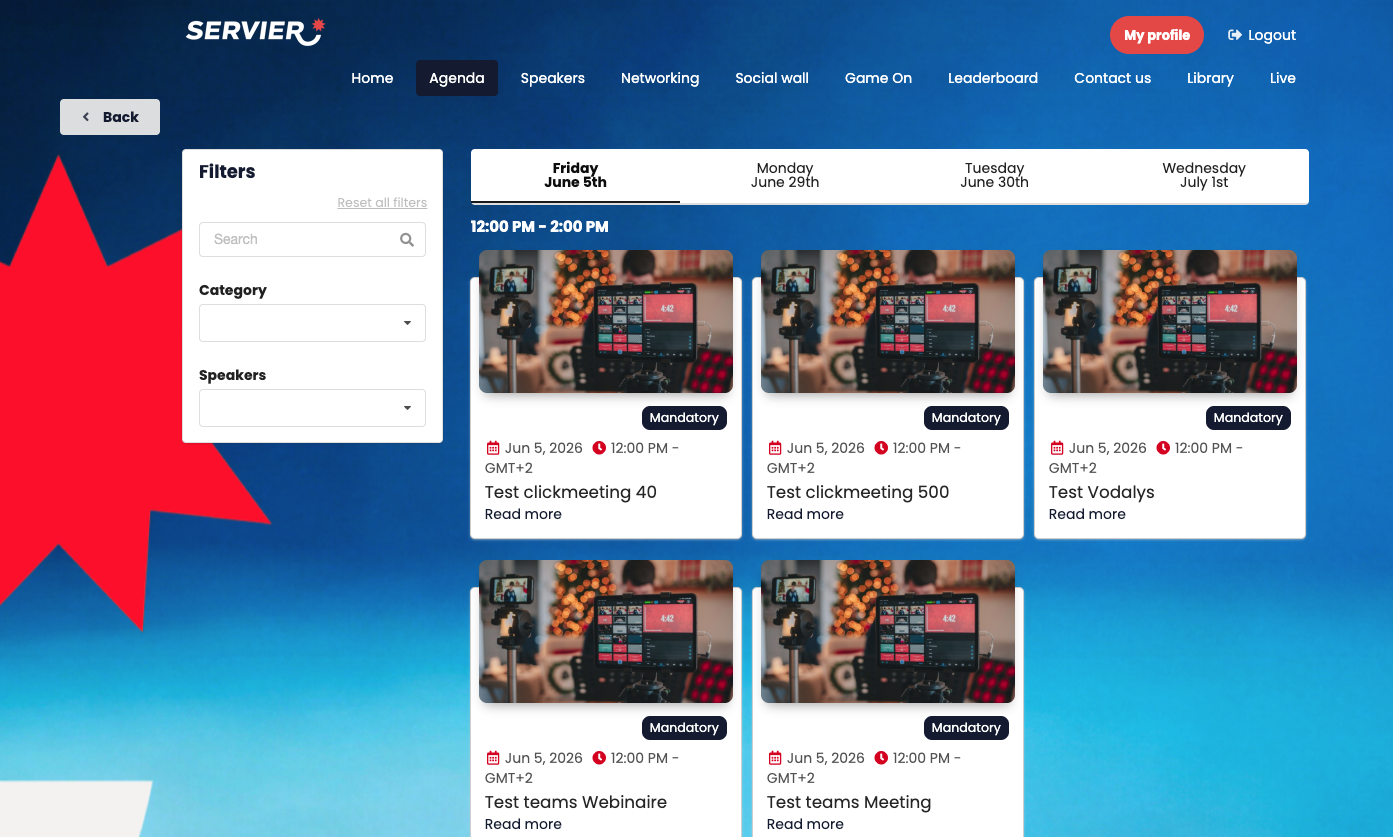
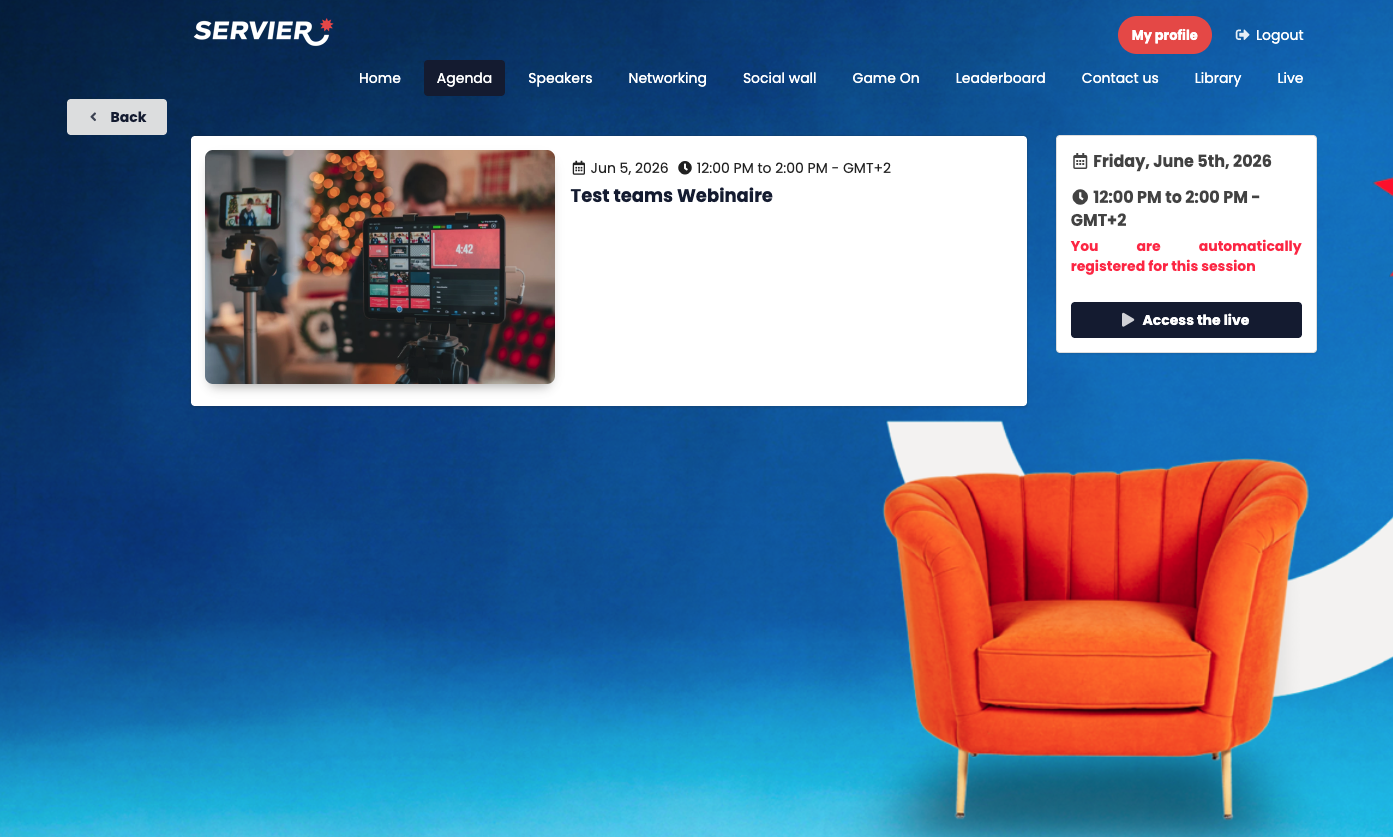
Demo access

Web platform for use on computers and mobile version for smartphone users
In an environment dedicated to your brand:
- Digital space dedicated to your event and adapted to your brand guidelines (colors, logo and background)
- Login / password required to enter the platform (security). Attendees can choose their own password on first login (*the password must be at least 12 characters long, including at least 1 lowercase letter, 1 uppercase letter, 1 digit and 1 special character – AppCraft IT security policy) – Forgotten password option available if an attendee forgets theirs
(SSO login available as an option)
- Profile page (attendees can edit their profile)
- List of workshops, plenaries and other event moments: description, files made available, speakers involved and registration in advance or live + confirmation email. Quota management available.
- Platform-wide search bar to find a speaker or content.
- Attendees can add their workshops to their Google / Outlook / iCal calendar
- Unlimited number of information pages: documents, videos hosted on an external player, text
- Selective content depending on attendee type (e.g., press does not have access to the same livestream as internal teams)
- Speaker list
- Automatic countdown on each livestream page: "your livestream starts in 02 days, 33 minutes and 2 seconds"
- "Auto-refresh" technology by AppCraft: attendees can see all the livestreams they are registered for / assigned to on a single page. As soon as the first livestream ends, the page refreshes by itself without the attendee clicking a button. For example: a viewer watches the plenary livestream filmed in the studio, then joins a 20-person workshop with microphones and cameras on within 1 second, with no clicks.
- FAQ with unlimited fields
Example of using declension in mobile format
When attendees are on site, they will have access to, for example:
- General information for all attendees (health information, thank-you message…)
> Personalized information: each attendee will find:
- Their shuttle to the airport
- Their flight information and a downloadable ticket in the profile area
- The hotel they have been assigned to or have chosen
- Their on-site contact person
- The workshops you have registered them for / they have registered for, and for which they can keep registering during the event (activity, meal, evening event, conference…)
- The interactive activities of the sessions they are assigned to, if any.
- Link to the dedicated WhatsApp group.
> Workshop descriptions can be generated with ChatGPT.
If needed, we can create a pop-up at first login where attendees must tick a box to accept the terms and conditions. It appears before they log in to the platform.
- Digital solution available for up to 8 weeks after the event
The advantages of the platform and the PWA
- An all-in-one solution for remote and in-person attendees
- The platform is fully customizable with your event's colors, logo and background, delivering an immersive and consistent experience.
- A login and password are required to enter the platform, keeping information confidential.
- The platform offers an unlimited number of information pages, so you can share documents, videos hosted on an external player and text to give attendees complete information.
- Each attendee finds personalized information.
- The platform includes a platform-wide search bar that helps attendees quickly find relevant content.